
Post Inventory to Facebook Marketplace Without Manual Entry


Since January 2023, Facebook has only allowed vehicle listings from personal profiles, not business Pages. For your team, that means retyping specs and re-uploading photos for every unit, posting limits on every profile, and no way to see what's live or already sold.
The numbers explain it well enough:

Those great numbers come at a high price:
- Repetitive manual work: Entering vehicle specifications and uploading photos for every listing individually.
- Individual posting limits: Dealing with Facebook's posting restrictions on each salesperson's personal profile.
- No centralized tracking: Having no single place to monitor which listings are live, sold, or removed.
- Limited team visibility: No straightforward way for managers to track individual salesperson activity.
Post Your Inventory to Facebook Marketplace Without Manual Entry
Cherry Trader has developed a new feature, Cherry Lister, that eliminates manual data entry and lets you monitor sales team activity, all with fewer clicks, less effort, and more sales opportunities.
Cherry Lister is a Chrome extension that automatically fills in your Facebook Marketplace listings using your existing Cherry Trader inventory. No manual data entry. Just review and click Publish.
From Cherry Trader to Facebook Marketplace in 3 Steps
Built for commercial trucks, trailers, and heavy equipment, Cherry Lister makes posting your inventory to Facebook Marketplace a simple three-step process.
1. Select your listings. Choose one, multiple, or all of your available listings from Cherry Trader.
2. Let Cherry Lister do the work. The extension automatically fills in the equipment details, description, and photos on Facebook Marketplace in about 40 seconds.
3. Review and publish. Check the details, make any necessary changes, and click Publish.
Posting multiple listings? Cherry Lister processes them one at a time, with approximately 7 minutes between listings to space out your Facebook Marketplace activity.
What You Need to Get Started
Getting started with Cherry Lister is simple. All you need is:
- Google Chrome on a Windows or Mac computer.
- An active Cherry Trader account.
- A personal Facebook profile with access to Facebook Marketplace.
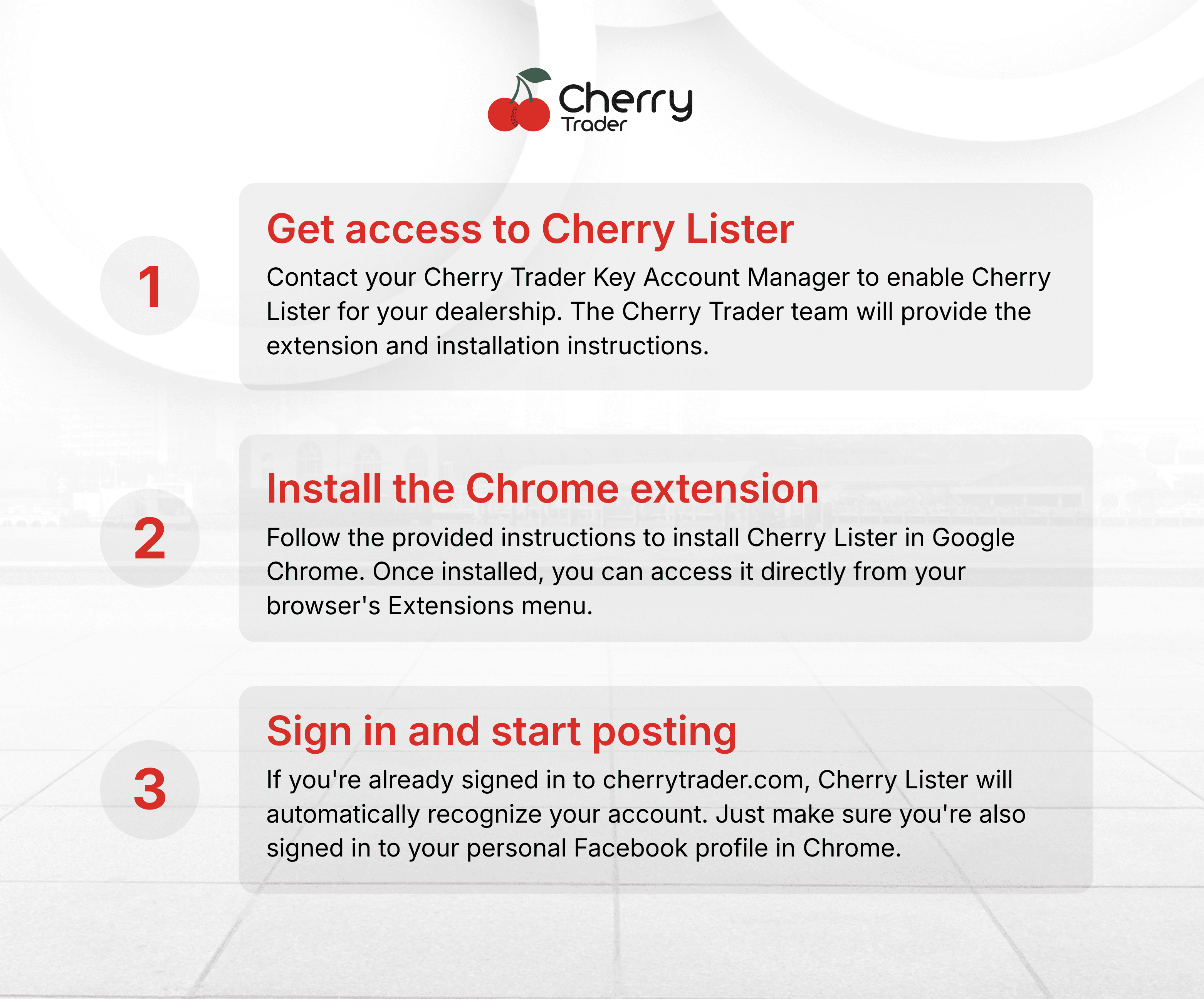
You don't need a separate Cherry Lister account or login. Once everything is set up, you can select your Cherry Trader inventory and post it to Facebook Marketplace.
One Inventory, Multiple Salespeople, Full Control
Cherry Lister doesn't just help your team post listings to Facebook Marketplace. It also gives dealership managers a centralized view of what's been posted, who's posting, and which listings need attention.
Here's what you can manage directly from Cherry Trader:
Track your Facebook listings. See which listings are live on Facebook Marketplace, check their status, and access each post directly from Cherry Trader.
Monitor your sales team. See which salesperson posted each listing, when it was published, and your team's daily posting activity.
Manage sold equipment. Identify listings that have been sold or removed from Facebook Marketplace and update their status to keep your inventory records accurate.
Multiple salespeople can post from the same dealership inventory using their own Facebook profiles, while managers can track their activity in one place.
Note: Cherry Lister respects Facebook Marketplace's posting limits and never publishes without your approval. You review and publish every listing, keeping your team in control.
Get Your Dealership Inventory on Facebook Marketplace
Your inventory is already listed on Cherry Trader. Why enter the same information twice?
With Cherry Lister, you can get your trucks, trailers, and heavy equipment in front of more buyers on Facebook Marketplace without manual data entry. Save your sales team time, track posting activity, and create more opportunities for buyer inquiries.
Ready to get started? Contact your Cherry Trader Key Account Manager or request access to Cherry Lister today.
CTA: Request Cherry Lister
Interested in buying instead?

Get the Latest Blog Updates
Subscribe to receive new articles, guides, and industry insights from Cherry Trader directly in your inbox. Stay ahead with the latest trends and tips for buying, selling, and managing equipment.


